 Français
 Nederlands
 English
Diagnosing your car from your iPhone is entirely possible — but not every OBD2 scanner is compatible with iOS. Here's the complete guide to choosing the right adapter and the best free apps in 2026.
Contents
- Why doesn't every OBD2 scanner work on iPhone?
- Best free OBD2 apps for iPhone
- Setup guide — OBD2 on iPhone
- What can you do with OBD2 on iPhone?
- WiFi vs Bluetooth BLE adapters — what's the difference for iPhone?
- Common connection problems and solutions
- Does your data stay private?
- FAQ — OBD2 scanner on iPhone
Why doesn't every OBD2 scanner work on iPhone?
Apple enforces strict restrictions on Bluetooth. "Classic" OBD2 adapters use Bluetooth 2.0 SPP (Serial Port Profile) — incompatible with iOS. For iPhone, you need:
- Bluetooth Low Energy (BLE 4.0+) — Compatible with iPhone 4S and later
- WiFi — An alternative that works on every iPhone
Best free OBD2 apps for iPhone
1. Car Scanner ELM OBD2 (free)
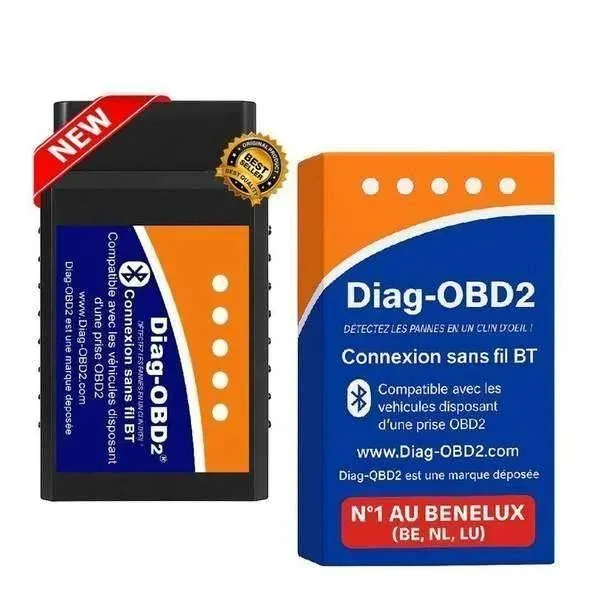
The best free app for iPhone. Clear interface, DTC code reading, real-time data. Compatible with our Diag-OBD2 Bluetooth.
2. OBD Fusion (€4.99 — recommended)
The benchmark on iOS. Customisable dashboards, real-time graphs, support for numerous manufacturer protocols.
3. Torque (Android only)
Note — Torque only exists on Android. On iPhone, use OBD Fusion or Car Scanner instead.
Setup guide — OBD2 on iPhone
What can you do with OBD2 on iPhone?
- ✅ Read and clear engine fault codes
- ✅ View live engine data (RPM, temperature, MAP...)
- ✅ Create custom dashboards
- ✅ Log driving data
- ✅ Test the catalytic converter and oxygen sensors
- ⚠️ Advanced functions (ABS, airbags) depending on the scanner model
WiFi vs Bluetooth BLE adapters — what's the difference for iPhone?
Before Bluetooth Low Energy became widespread, the only reliable way to connect an iPhone to an OBD2 scanner was WiFi: the adapter creates its own WiFi access point, which the iPhone connects to like any router. This method works on every iPhone without exception, but has a notable drawback: while connected to the scanner, the iPhone loses its internet access via WiFi (4G/5G stays available separately if enabled).
The more recent Bluetooth BLE 4.0+ solves this problem: the iPhone keeps its own WiFi for internet access while communicating with the scanner over Bluetooth at the same time. This is now the recommended solution for almost every iPhone in use today (5S and later).
Common connection problems and solutions
Other common fixes for connection issues:
- Fully close the app and relaunch it after checking Bluetooth is enabled
- Forget the device under Settings → Bluetooth then re-pair from within the app (not directly from iOS settings for a BLE OBD2 adapter)
- Check that no other device (an old smartphone, a tablet) is already connected to the same scanner — only one device can connect over Bluetooth at a time
- Restart the scanner by unplugging it and plugging it back into the OBD2 port
Does your data stay private?
Reputable OBD2 diagnostic apps (Car Scanner, OBD Fusion) process vehicle data locally on your phone, with no mandatory transmission to an external server. That said, check the privacy policy of the app you choose before syncing an account, especially if you enable cloud backup or trip-sharing features.
FAQ — OBD2 scanner on iPhone
Does an OBD2 scanner for iPhone also work on Android?
Yes, a Bluetooth BLE 4.0 adapter like our Diag-OBD2 Bluetooth works just as well on iPhone as on Android — only the app you use differs depending on your system.
Do you need a subscription to use an OBD2 scanner with iPhone?
No, neither the adapter nor the basic apps require a subscription. Some advanced features (premium graphs, PDF export) may be offered as a one-off in-app purchase, but everyday use remains entirely free after buying the scanner.
Is CarPlay compatible with OBD2 apps?
Some apps like Car Scanner offer a CarPlay-compatible display to show live data directly on the vehicle's screen, but this feature depends on the car model and the app version.
📱 iPhone-compatible OBD2 scanner
Diag-OBD2 Bluetooth — BLE 4.0 — Compatible with every iPhone